Most online rock paper scissors games are three buttons and a random number. You click, the computer “throws”, and the whole thing is over before it ever felt like a game. The fun of rock paper scissors was never the maths — it is the count-in, the pumping fist, the split second where you commit and the other person’s hand opens at the same moment as yours. Rock Paper Shoot puts that back: it is a free, real-time rock paper scissors game where your webcam reads the hand you actually make, and a cartoon opponent with a giant glove throws back on the same beat.
This article covers how the hand tracking works in the browser, what the three modes are, how to play a clean round, and a few tips that genuinely change your win rate — because the computer opponent is not just rolling dice.
Rock paper scissors on a webcam: what actually happens

When you open the game, the browser asks for camera access and loads a hand-tracking model (Google’s MediaPipe HandLandmarker). Every frame, it finds one hand and places 21 landmarks on it: the wrist, the knuckles and joints of every finger, and every fingertip. That is all the model does — it does not know what rock or paper is.
Deciding which throw you are making is done by the game’s own small classifier, which is plain geometry rather than a second neural network. For each finger it measures two things: how bent the two middle joints are, and how far the fingertip reaches from the wrist compared with the finger’s own length. Those two cues together give each finger a score from curled to straight. Because everything is an angle or a ratio within your own hand, the result does not change if your hand is tilted, closer or further from the camera, or whether you use your left or right hand.
- Rock: all four fingers curled.
- Paper: all four fingers straight.
- Scissors: index and middle straight, ring and pinky curled — the classic V.
A short majority vote over the last few frames smooths out the odd noisy frame, so a single glitch cannot flip your throw at the worst possible moment. A small camera window in the corner shows the skeleton the game sees and the throw it reads, with a confidence ring around it, so you always know what you are about to throw before SHOOT.
All of this runs on your device. The camera picture is processed inside your browser tab and is never uploaded — the same approach the rest of CamPlay uses, explained in more detail in how CamPlay tracks your body without uploading video. To stay light on laptops, the model runs about 12 times a second on menus and between rounds, and speeds up to about 30 times a second only around SHOOT, when every frame matters.
No webcam, or just want to try it first? Keys 1 to 5, or the on-screen buttons on a touch screen, throw for you. With a hand in view, the camera takes priority.
Real-time rock paper scissors needs a real beat

What makes this a realtime rock paper scissors game rather than a guessing game is the timing. Every round counts in at a fixed beat — “Rock… Paper… Scissors… SHOOT!”, one word every 0.6 seconds — and you are invited to pump your fist along with it. The game tracks your wrist and lights up a dot for each beat your pump lands on, and your sync percentage shows at the end of a match. You do not have to pump to play, but it makes the whole thing feel like the playground version.
Your throw is read in a short window around SHOOT: from 150 ms before it until 250 ms after, when it locks. Whatever hand you hold at the lock is your throw. The opponent’s glove opens exactly at SHOOT — and this is where the anti-cheat comes in. If you change to a different throw more than 120 ms after the reveal, the game calls it: “Too slow!”, and you lose the round. In other words, you cannot wait to see the glove and then switch. A throw that simply appears a little late (because the camera needed an extra frame to see your fingers) is not a foul; changing your mind is.
Three ways to play
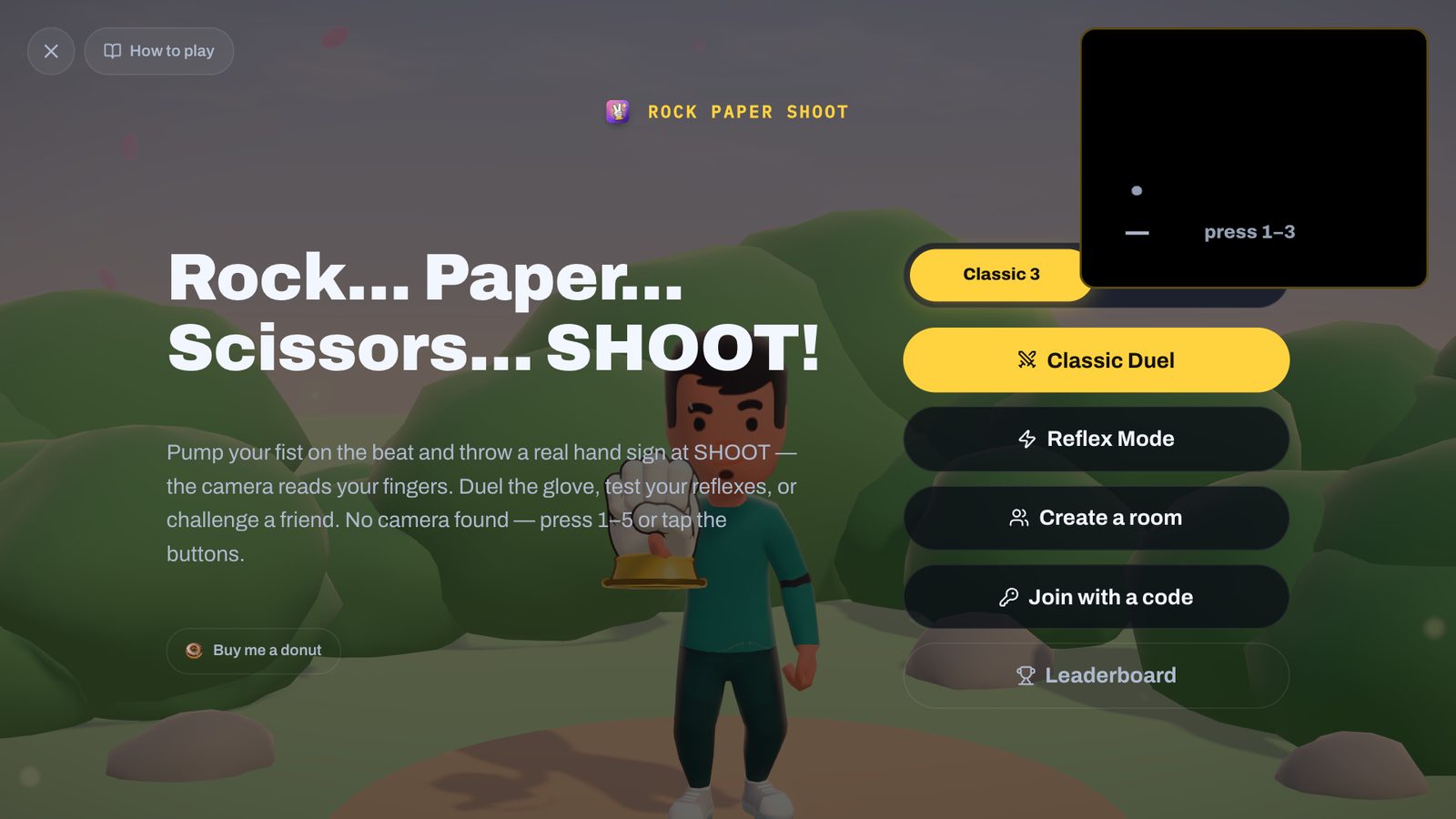
| Mode | Opponent | Goal |
|---|---|---|
| Classic Duel | The computer glove | Best of five — first to three round wins; ties don’t count |
| Reflex | The computer glove, throwing first | Obey BEAT IT, LOSE TO IT or TIE IT before the timer; 3 lives; leaderboard |
| Online duel | A friend, 1v1 | Classic rules on a shared beat, both hands revealed together |
There is also a Lizard-Spock switch that turns any of the three into the five-gesture version from The Big Bang Theory. The two modes against people and the computer are compared in depth in duel mode vs multiplayer mode, and the five-gesture rules in how to play rock paper scissors lizard Spock online.
How to play a round
- Open Rock Paper Shoot on a laptop or desktop and allow the camera.
- Sit or stand so one hand is clearly in view, roughly at chest height, palm towards the camera. Good light in front of you helps; a bright window behind you hurts.
- Check the camera window: make a fist, a flat hand and a V and watch the label change. If it reads correctly here, it will read correctly at SHOOT.
- Pick a mode. The glove counts you in: pump your fist on Rock, Paper, Scissors.
- On SHOOT, open your hand into your throw and hold it for a beat. Don’t snap it back — the lock comes a quarter of a second after SHOOT.
- Watch the verdict (“Paper covers rock”), then the next round counts in by itself.
Tips that actually work against the computer
The Classic Duel opponent is deliberately readable, and knowing how it thinks is the best tip there is. It commits to its throw 100 ms before SHOOT — too late for it to react to your real throw — but in the moments before that it watches your hand. If your hand is already showing paper or scissors instead of the pumping fist, it takes that at face value and throws the counter. When your hand gives nothing away, it falls back on habits people really have: repeating a throw that just won, switching after a loss to whatever beats its last throw, or your most-played throw so far. It only trusts its read about 70% of the time and plays randomly otherwise, so it stays beatable.
- Don’t telegraph. Keep a fist through the whole count-in and only open your hand on SHOOT. An early shape is a free read for the glove.
- Bluffing works — once. Show paper early, then throw rock at SHOOT, and the glove will counter the paper you showed. But it remembers: show the same early shape next round and it expects the same trick.
- Break your own patterns. If you won with rock, the glove suspects you will throw rock again; if you lost, it expects you to switch to the throw that beats its last one. Doing the opposite of the obvious is a good default.
- Spread your throws out. A favourite throw is easy for it to spot over a best of five.
- Make clean shapes. A half-curled hand can read as nothing, and “No throw!” loses the round. Spread your scissors clearly and keep ring and pinky tucked.
Why a hand-tracked version is more fun
Rock paper scissors on buttons is a coin flip with extra steps. With your real hand, it becomes a game of nerve and timing again: you have to commit on the beat, you can bluff, and the opponent can catch you hesitating. It is also quick — a Classic Duel takes a minute or two — which makes it an easy warm-up before something more physical, like the games in our guide to free indie webcam games. It is free, runs in the browser with no download, and needs no account. Give it a throw.